Table of contents
Six Game mission chests turn small tasks into activity points. The Mission tab shows four chests on a line, opening at 200, 300, 400 and 600 points, and three task lists: Newplayer, Daily Mission and Weekly Mission. This guide explains how points work, which tasks a new player sees and how to open the chests.
The Six Game Mission Tab
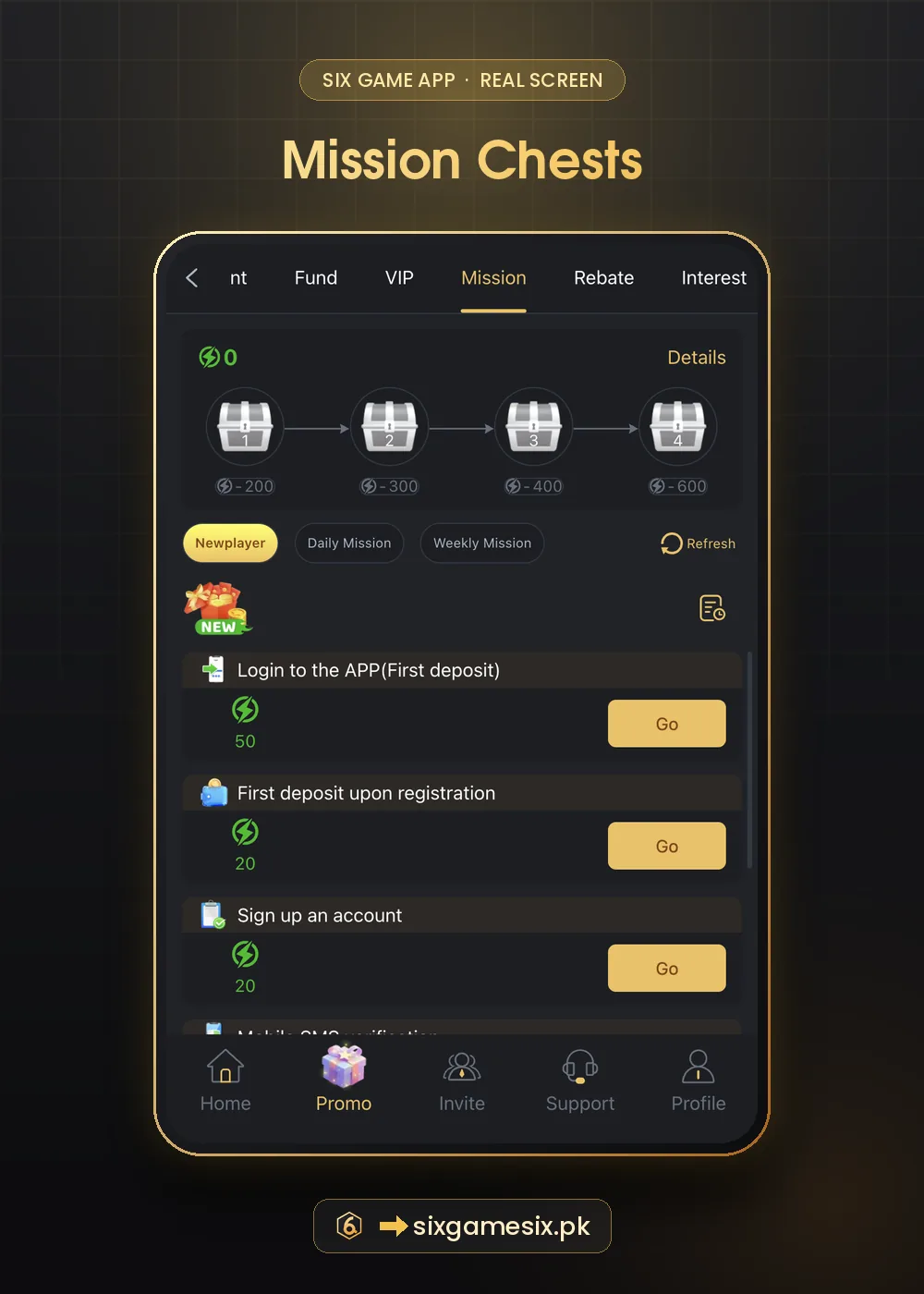
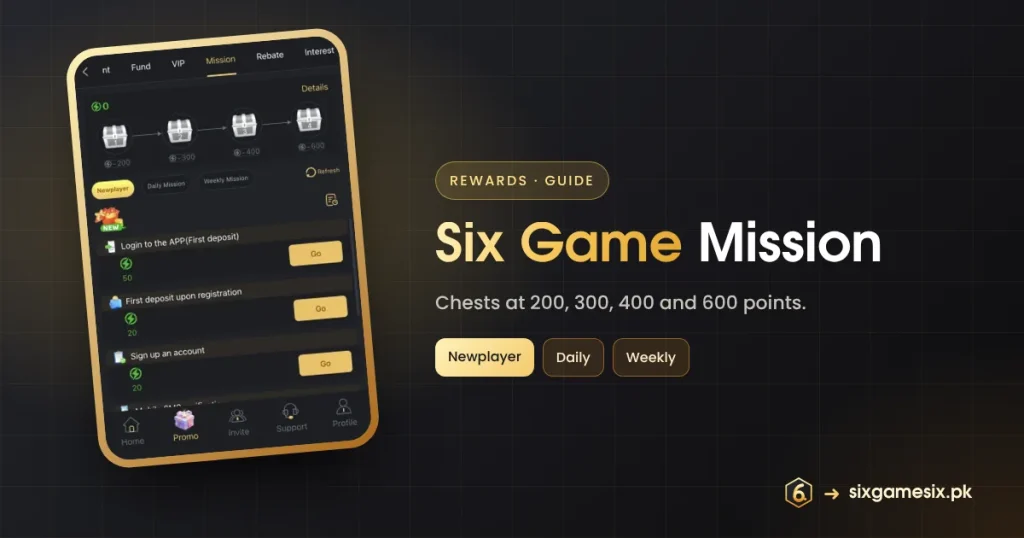
At the top, a green lightning icon shows your current points (0 for a new account) and a Details link explains the system. The four silver chests are joined by arrows and labelled with the points needed: 200, 300, 400 and 600. Below them are the Newplayer, Daily Mission and Weekly Mission buttons and a Refresh link.
Six Game Mission Newplayer Tasks
| Task | Points shown |
|---|---|
| Login to the APP (First deposit) | 50 |
| First deposit upon registration | 20 |
| Sign up an account | 20 |
| Mobile SMS verification | Further down the list |
Each task has a gold Go button that takes you to the right place. The first three add up to 90 points, which shows that the first chest at 200 needs more than the starter tasks. Daily and Weekly missions fill the rest, and their tasks change, so open the lists each day to see what is live.
How Six Game Mission Chests Open
- Complete tasks to earn activity points.
- Watch the counter next to the lightning icon.
- When it reaches 200, the first chest becomes claimable.
- Keep going for 300, 400 and 600.
- Tap Details for reset times; points usually reset daily or weekly.
The chest values are points thresholds, not rupee amounts. The reward inside each chest is shown in Details or when it opens.
Choosing Six Game Mission Tasks Wisely
Not every task is worth doing. Tasks such as logging in, verifying your phone or playing a game you already like cost nothing extra. Tasks that ask for a deposit or a large betting total cost money, and the chest reward is usually far smaller than what the task asks you to spend. Pick tasks that match your normal play and leave the rest.
- Free tasks: always worth doing.
- Deposit tasks: only if you were depositing anyway.
- Betting tasks: only within your session budget.
Mission Points and Other Rewards
Points come from the same actions that drive other rewards. A first deposit can trigger the first deposit reward, the +7% fund and the mission points at once. Logging in daily helps the check-in and daily missions. That overlap is why one planned action can earn several small rewards.
Six Game Mission Problems
If a task shows complete but points did not change, tap Refresh, then wait a few minutes. If it still looks wrong, send Six Game support a screenshot of the task and the time you completed it.
Six Game Mission Points: A Sample Week
Here is how points might build in a normal week. On day one a new player signs up (20 points), makes a first deposit (20) and logs in to the app afterwards (50), reaching 90. Daily missions such as logging in or playing a game add more each day. If those daily tasks add around 30 points, the 200 chest opens around day four and the 300 chest a few days later. The 400 and 600 chests usually need weekly tasks too. The exact values depend on which tasks are live, so check Daily Mission and Weekly Mission each time you open the tab.
If you notice missions making you open the app more than you want, set a reminder to check them only once a day. Free advice on balancing play is available from BeGambleAware.
Our Verdict
Six Game mission chests are a light layer of progress on top of normal play. Do the free tasks, skip deposit tasks you had not planned, and open chests when points arrive naturally.
Related Six Game Guides
Six Game Mission FAQ
How many points open the first Six Game mission chest?
200 activity points.
What are the chest thresholds?
200, 300, 400 and 600 points.
How many points do Newplayer tasks give?
Sign up 20, first deposit 20 and app login after first deposit 50.
Do mission points reset?
Daily and Weekly missions usually reset. Check Details.
Why did my points not update?
Tap Refresh and wait. Contact support with a screenshot if needed.