Table of contents
Table of Contents
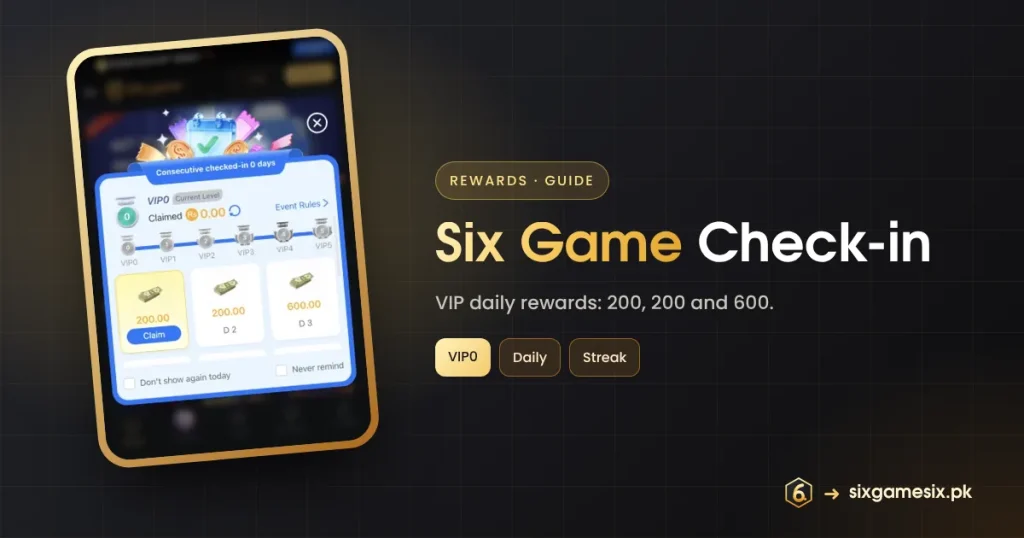
The Six Game check-in card pops up after login with a blue-and-white design and the line “Consecutive checked-in 0 days”. It ties daily rewards to your VIP level, and at VIP0 the first three days showed 200, 200 and 600. This guide explains how the check-in works, how VIP changes it and how to claim without missing days.
What the Six Game Check-in Card Shows
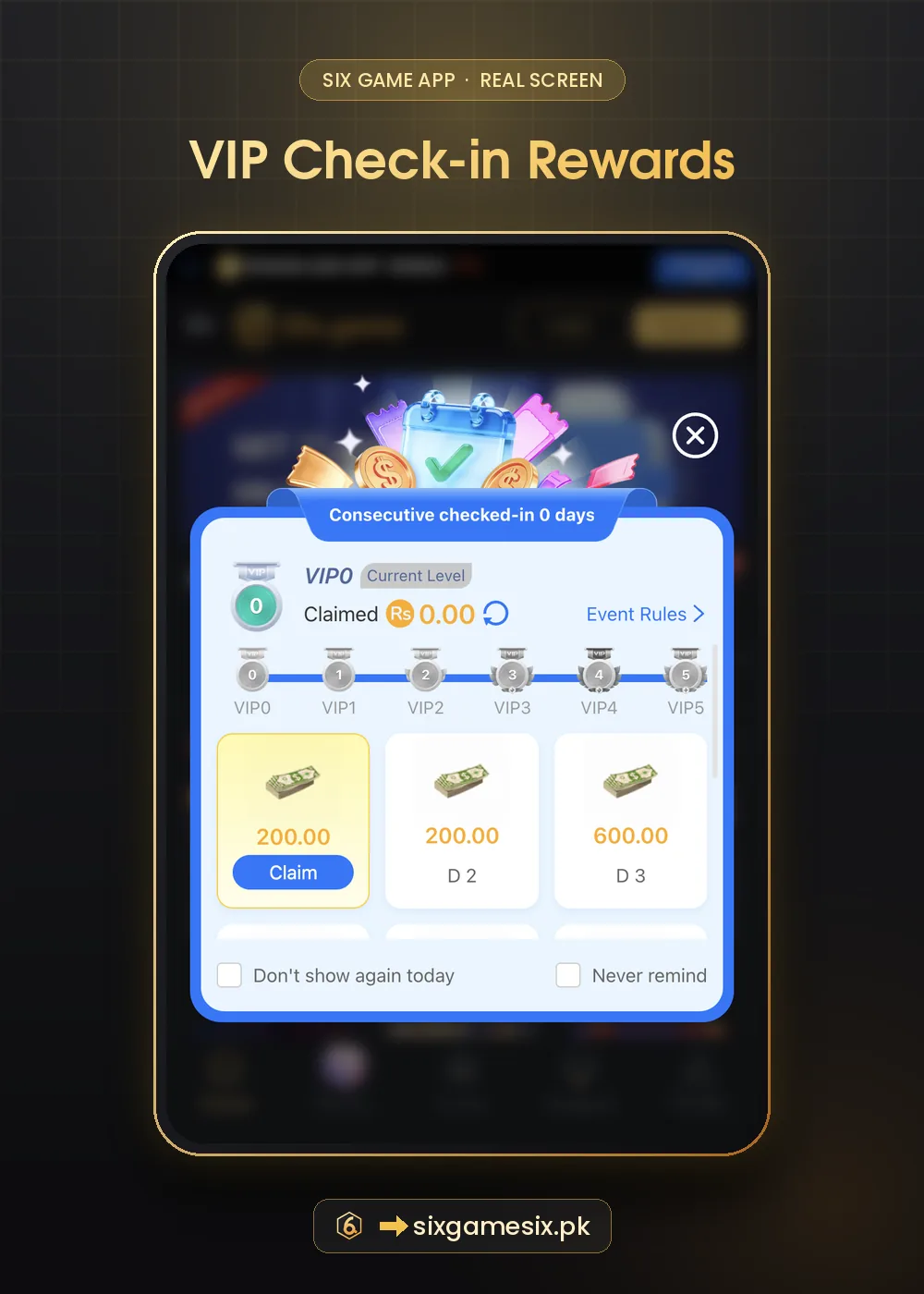
| Part of the card | What it means |
|---|---|
| Consecutive checked-in 0 days | Your current streak |
| VIP0 · Current Level | The level that sets your check-in rewards |
| Claimed Rs 0.00 | What you have collected so far |
| Event Rules | The full conditions |
| VIP0 to VIP5 track | Levels with their own check-in tables |
| D1 200.00 · D2 200.00 · D3 600.00 | Day rewards at your level (more days below) |
| Don’t show again today / Never remind | Popup settings |
How the Six Game Check-in Works
- Log in and wait for the check-in card, or open it from the VIP tab banner “Check-in for Mystery Rewards”.
- Tap Claim on the highlighted day.
- Come back the next day; the next card unlocks.
- Keep the streak going for the bigger day rewards further down the card.
- Read Event Rules for anything the claim needs, such as a deposit that day.
The day rewards shown are the card’s figures for VIP0. Many platforms only let a check-in reward be claimed when the player meets a condition such as a deposit or a minimum bet that day, and the rule link is where that would be written. Read it once so a greyed-out Claim button does not surprise you.
Six Game Check-in and VIP Levels
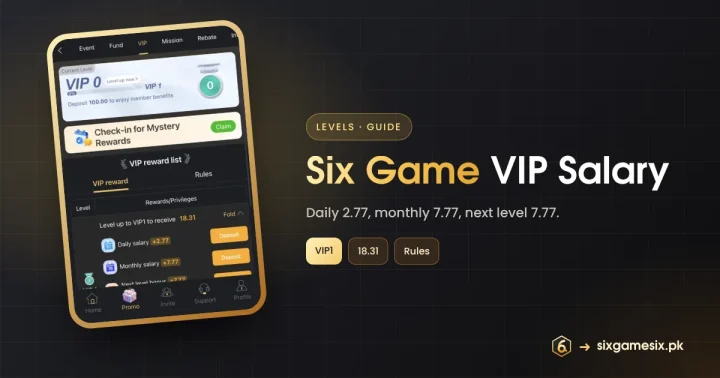
The track from VIP0 to VIP5 shows that each level has its own check-in table. Higher levels usually pay more per day. Your level is set by deposits; the VIP tab says “Deposit 100.00 to enjoy member benefits”. Our Six Game VIP salary guide explains levels, salaries and the 18.31 reward at VIP1.
Mystery Rewards in the VIP Tab
The VIP tab has a cream banner with a calendar icon, “Check-in for Mystery Rewards”, and a green Claim button. It opens the same check-in system from a different door, which is handy if you closed the popup with “Don’t show again today”. A mystery reward is by definition unknown in advance, so treat it as a small surprise rather than something to plan around.
Six Game Check-in Mistakes to Avoid
- Ticking “Never remind” and losing track of your streak.
- Depositing just to unlock a check-in claim you did not plan.
- Expecting the check-in to pay the same at every VIP level.
- Forgetting to collect: check Unclaimed if a reward seems missing.
Check-in Versus the 7-Day Streak
The Six Game check-in is a personal daily reward with fixed amounts for your level. The 7-Day Streak is a time-limited event with a shared 10,000 PKR pool. Both reward consecutive logins, so one daily visit can count for both, but read each rule separately.
Six Game Check-in Routine
The easiest way to keep the Six Game check-in going is to attach it to something you already do, like your evening tea. Open the app, claim the day, glance at Unclaimed and close it. If you have decided not to play that day, you have still kept the streak without spending. If the claim needs a deposit that day under the rules, skip it rather than deposit just for the reward. Over a month, a routine like this collects every free reward the card offers while keeping the app in its place. For more ideas on healthy routines, see BeGambleAware.
Our Verdict
The Six Game check-in is one of the friendliest rewards in the app because it mostly asks you to show up. Claim it on days you log in anyway, use the VIP banner if you closed the popup, and do not let the streak push you into deposits you had not planned.
Related Six Game Guides
Six Game Check-in FAQ
How much is the Six Game check-in?
At VIP0 the card showed 200, 200 and 600 for days 1 to 3, with more days below.
Where is the check-in if I closed the popup?
Use the “Check-in for Mystery Rewards” banner in the VIP tab.
Does a missed day reset the check-in?
The card counts consecutive days, so a missed day usually resets it.
Does VIP level change the check-in?
Yes. Each level from VIP0 to VIP5 has its own table.
Why is Claim greyed out?
The rules may need a condition that day. Tap Event Rules.